找回密码
 注册
搜索
查看: 1399|回复: 48

完全揭秘 当PS2模拟器遇到顶级PC平台

[复制链接]
发表于 2006-1-31 13:55:57 | 显示全部楼层 |阅读模式
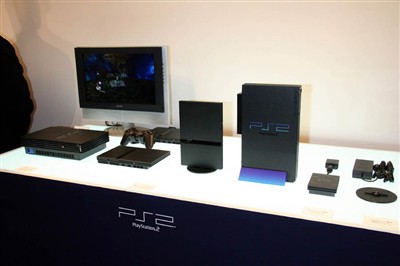
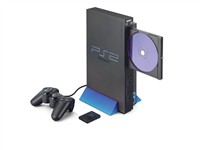
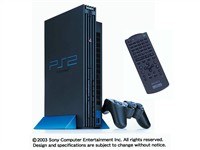
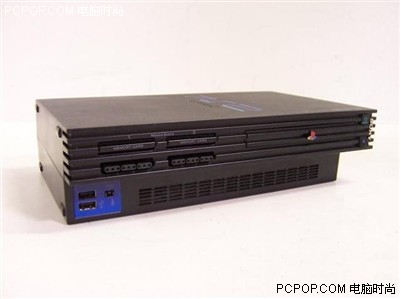
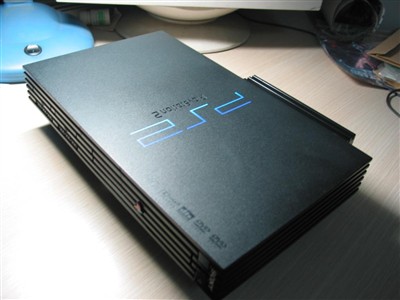
PS2模拟之路  PS2诞生于2000年3月4日,这天也正式宣布了PS2成为了世界最强的游戏主机,凭借市场占有量最大、游戏资源丰富,将当时的其他主机一举歼灭!

[center]screen.width-500)this.style.width=screen.width-500;" border=1>[/center]
  当时,如果家里能够拥有一台PS2游戏机是多么幸福的事情啊!但是在中国地区高昂的售价,实在让人难以接受,所以人们不断的盼望着模拟器的出现,这并没有让人等待多久,网络上不断传来PS2模拟器出现的消息,可过了许久,传闻中的PS2模拟器渐渐没了踪影,让人有种被骗了的感觉 >_<

  经过网上无数的传闻后,终于在2002年,第一款叫做“PCSX2”PS2模拟器诞生了。当时,在模拟度还相当低的时候,PCSX2还不能运行商业游戏。不过能够获得一些PS2 DEMO演示和一个FOR PS2的模拟器。因为当时的模拟度相当低,所以只能采用插件的形式来进一步将模拟器完整化,就像PS模拟器epsxe一样。而在这时,还有一个开放源代码的PS2模拟器 NSX2也在开发当中,正在发展中的PS2模拟器给了当时的PS2 FANS们无限的希望。
 楼主| 发表于 2006-1-31 13:56:21 | 显示全部楼层
不久后,PCSX2有了新的突破,在03年有了新的插件的支持下,PCSX2终于放出了第一批运行商业游戏的截图,此时可以支持多款PS2游戏。让人们真的感觉到PS2模拟器已经不遥远了。

[center][center]screen.width-500)this.style.width=screen.width-500;" border=1> screen.width-500)this.style.width=screen.width-500;" border=1>[/center]
[/center]
  经过一段时间的缓慢而艰难的开发过程后,终于出现了模拟成功的一款PS2游戏,但是事情并不顺利,游戏缓慢的运行了一段后出现当机,也因此又告了一个段落。

  但是PCSX2的作者并没有放弃,支持他的FANS们也相信PS2模拟器完美的那天一天终会来临!之后的日子里,不断的会在网络上会出现PCSX2的最新游戏截图,从截图来看最大的疑问就是机能问题,每张截图都只有可怜的几帧,在当时的PC硬件情况下,想模拟PS2的确不是一件容易的事情!

  PS2机能介绍
  
  处理器128-bit Emotion Engine 294.912MHz、图形芯片: Graphics Synthesizer 147.45MHz、音效芯片:SPU2;内存M-RAM 32MBV-RAM 4MBA-RAM 2MB;最大画面解析度为1280x1024;配件有手柄,AV线,专用AC变压器;记忆卡,方向盘。光驱方面支持CD-ROM 24X以及DVD-ROM 4X。
PS2的GPU又称作GS,拥有16条渲染管线,象素填充率达到2.4 Gpixel/s,纹理填充率为1.2Gpixle/s ,2560位总线,其中1024位用来读取,1024位用来写入,512位用来处理纹理,总线合计峰值带宽可以达到48GB/s。拥有4M显存。

[center][center]screen.width-500)this.style.width=screen.width-500;" border=1>[/center]
[/center]
回复 赞 踩

使用道具 举报

 楼主| 发表于 2006-1-31 13:56:38 | 显示全部楼层
可以看出,PS2的强大带宽是PC不能比的,模拟起来有一定的难度,但是经过了很长很艰难的模拟器开发过程之后,我们很想知道到底PS2模拟器的开发进度。

  看到上面的PS2的硬件机能再看看如今的PC配置,相信模拟也并非难事!但是真正去尝试的,相信不在多数,因为不是配置不够就是没有足够的时间去研究,但是可以肯定的是,关注PS2模拟器进度的PC玩家决不在少数!

[center]screen.width-500)this.style.width=screen.width-500;" border=1>[/center]
  这次,不才就为广大读者详细的测试报告一下,如今的PS2模拟器到底到了如何的程度!什么样的配置才能够运行PS2模拟器!

  文章中将涉及到大家最关心的模拟器问题,比如:运行速度、配置要求、画面效果、使用是否方便、如何配置模拟器、游戏的运行情况,等等等等……
回复 赞 踩

使用道具 举报

 楼主| 发表于 2006-1-31 13:57:06 | 显示全部楼层
测试第一步:寻找模拟器
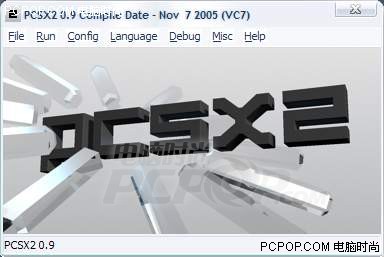
  测试前当然是寻找最好的模拟器了,于是小编在互联网上经过一阵搜索后,惊奇的发现,除了2002年推出的第一款PS2模拟器PCSX2的消息外,其余同PCSX2一起开发的PS2模拟器全部消声灭迹了,很遗憾的说,PS2模拟器的开发艰难与缓慢已经击败了不少模拟器开发者,但是另人欣慰的是,PCSX2的作者不但没有放弃,而且从近期的新闻来看,模拟器的进度越来越好,好了话不多说,来看看这款目前进度最好的PS2模拟器吧。

[center][center][center][center]screen.width-500)this.style.width=screen.width-500;" border=1>[/center]
[/center]
[/center]
[/center]
[center]screen.width-500)this.style.width=screen.width-500;" border=0> 最新的内部测试版PCSX2 0.9
进度最好的PS2模拟器!
[/center]
回复 赞 踩

使用道具 举报

 楼主| 发表于 2006-1-31 13:57:23 | 显示全部楼层
 目前可以在网上找到的最新版本是PCSX2 0.8版和内部测试版的0.9版模拟器,虽然还是一个内部测试版,但是从模拟器作者放出来的模拟器视频和截图来看,画面已经相当不错了!现在大家最关心的一定是配置和兼容性的问题,下面小编就对最新的0.9内部测试版进行全方位的测试。

  测试疑问:
  1.模拟器是否可以正常运行?!
  2.真实模拟出来的画面到底如何?
  3.对游戏的兼容性如何?

  怀着种种疑问,小编首先从PCSX2的官方主页中下载最新的PCSX2 0.8模拟器及最新的插件,下面来详细说明一下模拟器该如何配置。
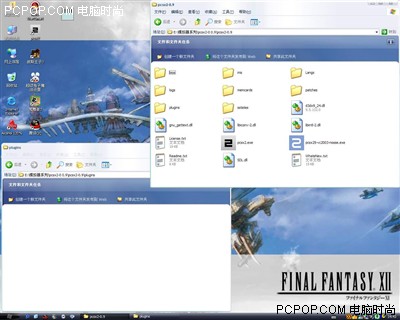
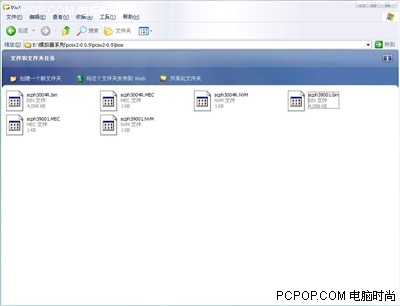
在官方下载后的模拟器没有任何插件,包括bios在内,所以就要我们自己去下载最新的插件,官方的下载页中提供了最新的插件下载,需要一个一个下载。

  这里为读者准备了全部插件整合完毕的PCSX2模拟器,需要的感兴趣的朋友点击下面连接进行下载。

  模拟器点击下载:[网通] [电信]

[center][center]screen.width-500)this.style.width=screen.width-500;" border=1>[/center]
[/center]
回复 赞 踩

使用道具 举报

 楼主| 发表于 2006-1-31 13:57:58 | 显示全部楼层
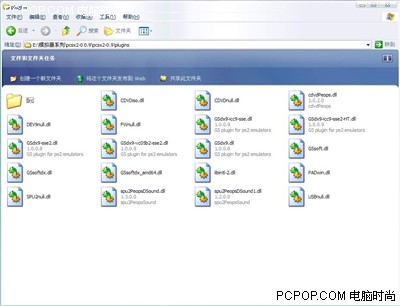
[center]screen.width-500)this.style.width=screen.width-500;" border=0> 刚下载后模拟器的plugins文件夹是空的,
这里是存放模拟器全部插件的地方
[/center]
[center][center]screen.width-500)this.style.width=screen.width-500;" border=1>[/center]
[/center]
[center]screen.width-500)this.style.width=screen.width-500;" border=0> 模拟器所需要的插件已经全部放在了plugins文件夹内,还是挺多的,
包括几种光驱插件、GS插件、手柄插件、声音插件,等等……
[/center]
[center][center]screen.width-500)this.style.width=screen.width-500;" border=1>[/center]
[/center]
回复 赞 踩

使用道具 举报

 楼主| 发表于 2006-1-31 13:58:23 | 显示全部楼层
[center]screen.width-500)this.style.width=screen.width-500;" border=0> Bios文件夹-顾名思义,是存放ps2 bios的地方,将bios文件放在
这个文件夹中就可以了,小编提供了2种bios文件供大家使用
[/center]
[center][center]screen.width-500)this.style.width=screen.width-500;" border=1>[/center]
[/center]
回复 赞 踩

使用道具 举报

 楼主| 发表于 2006-1-31 13:58:38 | 显示全部楼层
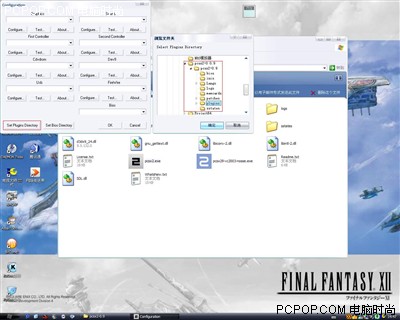
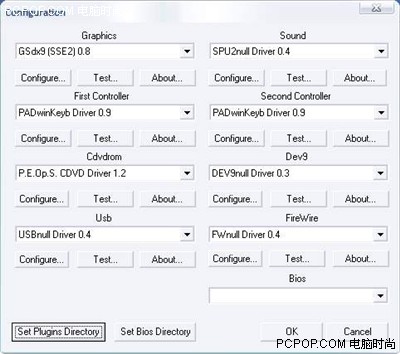
第一次运行后会报错,提示没有插件?怎么回事?刚刚明明放在插件文件夹中了,不要着急,模拟器需要手动找到插件的位置,点击图中红色方块处的Set Plugins Directory按钮,选择插件的位置,根据自己的存放目录来选择,参考右边的红色方块处选择目标文件夹。[center][center][center][center]screen.width-500)this.style.width=screen.width-500;" border=1>[/center]
[/center]
[/center]
[/center]
[center]screen.width-500)this.style.width=screen.width-500;" border=0> 成功了!除了bios文件以外,全部插件都被模拟器发现了!
[/center]
[center][center]screen.width-500)this.style.width=screen.width-500;" border=1>[/center]
[/center]
回复 赞 踩

使用道具 举报

 楼主| 发表于 2006-1-31 13:59:13 | 显示全部楼层
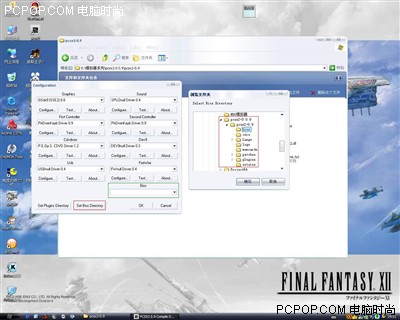
[center]screen.width-500)this.style.width=screen.width-500;" border=0> Bios的目录同样需要手动找到,和刚才的步骤一样,
点击Set bios Directory按钮,手动找到bios文件夹
[/center]
[center][center]screen.width-500)this.style.width=screen.width-500;" border=1>[/center]
[/center]
[center]screen.width-500)this.style.width=screen.width-500;" border=0> 搞定了,初步配置完成!今后想换插件直接在模拟器的主界面中
点击config然后选择configure即可,下面我们就开始PS2模拟器测试之旅!
[/center]
回复 赞 踩

使用道具 举报

 楼主| 发表于 2006-1-31 13:59:32 | 显示全部楼层
FX55首次测试 要力拼PS2模拟器!
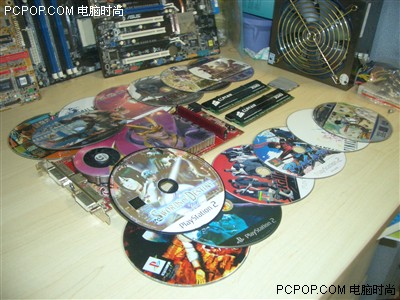
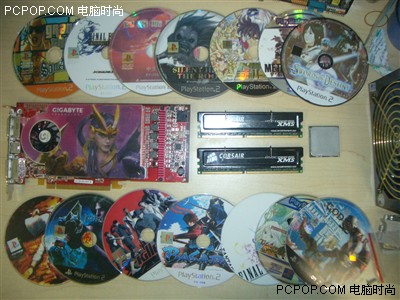
  从之前网上所放出的大量截图来看,没有顶级的硬件看来是别想跑PS2模拟器!所以这次测试使用了FX55+1G海盗船内存+X1800XL,这样的配置对于PC玩家来说,可是梦幻级了!但是能否顺利进行模拟还是一个未知数,因为毕竟PS2的模拟器使用的是和PS2机相反的引擎,从开发和模拟的角度看都相当的困难!

  下面来看看我们的准备工作做的怎么样了!

[center][center]screen.width-500)this.style.width=screen.width-500;" border=1>[/center]
[/center]
[center]screen.width-500)this.style.width=screen.width-500;" border=0> 10多张PS2光盘+FX55+X1800XL+海盗船内存,力拼ps2模拟器!
[/center]
[center][center]screen.width-500)this.style.width=screen.width-500;" border=1>[/center]
[/center]
[center]screen.width-500)this.style.width=screen.width-500;" border=0> PS2光盘+FX55+X1800XL+海盗船内存合影
[/center]
回复 赞 踩

使用道具 举报

 楼主| 发表于 2006-1-31 13:59:53 | 显示全部楼层
准备工作已经就绪!现在就装上它![left]  这样的配置运行任何PC游戏都是不成问题的!但是如果把ps2模拟器搬到这强大的配置上,到底是什么情况呢?小编也迫不及待的想知道!
[/left]
[left]  那么话就不要多说了,马上开始!
[/left]
[left]  测试方法:
  1.PC硬件方面,针对AMD平台选择最高端的配置来测试。
  2.软件方面,使用10余张PS2游戏光盘做兼容性试验。
[/left]
[left]  在测游戏之前,首先要检查一下运行bios的情况,如果模拟bios都不能够顺利又谈什么模拟游戏呢?
[/left]
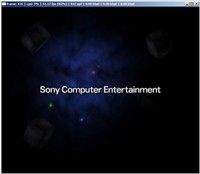
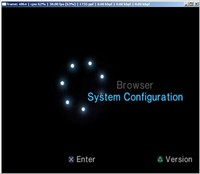
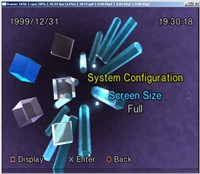
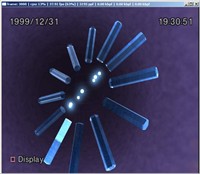
[left]  带着激动的心情,我们打开模拟器点击了运行按钮,很快PS2的开机画面流畅的展现出来,当时的感觉真是一个字“爽”,开机画面和bios设置的画面都非常的流畅,和PS2几乎没有什么区别。
[/left]
[center][center]screen.width-500)this.style.width=screen.width-500;" border=1> screen.width-500)this.style.width=screen.width-500;" border=1>[/center]
[/center]
[center]screen.width-500)this.style.width=screen.width-500;" border=0> 接近完美的运行速度,画面已经相当流畅!
[/center]
[center][center]screen.width-500)this.style.width=screen.width-500;" border=1> screen.width-500)this.style.width=screen.width-500;" border=1>[/center]
[/center]
[center]screen.width-500)this.style.width=screen.width-500;" border=0> Bios设置画面
这个画面模拟的非常出色!颜色真实,贴图完美!
[/center]
回复 赞 踩

使用道具 举报

 楼主| 发表于 2006-1-31 14:00:20 | 显示全部楼层
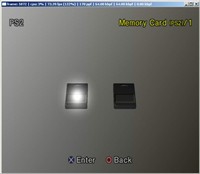
[center][center]screen.width-500)this.style.width=screen.width-500;" border=1> screen.width-500)this.style.width=screen.width-500;" border=1>[/center]
[/center]
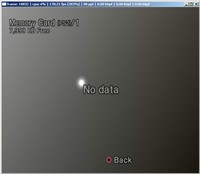
[center]screen.width-500)this.style.width=screen.width-500;" border=0> 选择记忆卡画面,格式化后的虚拟记忆卡空空如也(废话)
[/center]
[left]  从bios的模拟来看,真的已经接近完美,无论从画面的角度还是速度上来看,都已经和PS2相差无几了!难道PS2模拟器真的完美了吗? 这个念头在小编头上划过,再也无法忍耐这种诱惑了,于是拿出了10余张PS2光盘,准备开测!
[/left]
回复 赞 踩

使用道具 举报

 楼主| 发表于 2006-1-31 14:00:48 | 显示全部楼层
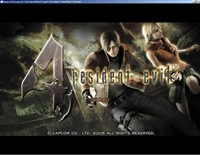
模拟开始进行!生化危机4险些谋杀FX55!


  游戏早已准备好,我们首先试着直接使用光驱读取PS2光盘,结果没有令我们失望,用DVD-ROM顺利运行了PS2游戏,但是在读盘方面,相比制成镜像文件后运行要稍慢一些,但是读盘的兼容性还是非常好的,基本都可以顺利读出!

  首先登场的是GC机独占相当一段时间之后移植PS2的神作【生化危机4】!下面来看看模拟情况:

[center][center]screen.width-500)this.style.width=screen.width-500;" border=1> screen.width-500)this.style.width=screen.width-500;" border=1>[/center]
[/center]
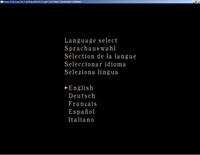
[center]   screen.width-500)this.style.width=screen.width-500;" border=0> 顺利读取出ps2光盘!  screen.width-500)this.style.width=screen.width-500;" border=0> 等待几秒后出现生化4语言选择界面
[/center]
回复 赞 踩

使用道具 举报

 楼主| 发表于 2006-1-31 14:01:08 | 显示全部楼层
[center][center]screen.width-500)this.style.width=screen.width-500;" border=1> screen.width-500)this.style.width=screen.width-500;" border=1>[/center]
[/center]
[center]screen.width-500)this.style.width=screen.width-500;" border=0> 出现卡普空的字样!   screen.width-500)this.style.width=screen.width-500;" border=0> 哈哈,成功进入选单画面!
[/center]
  此时帧速高达46帧!虽然只是选单画面,但是同样给了我们很大的惊喜!不知道游戏的运行情况如何,让我们继续往下测!

[center][center]screen.width-500)this.style.width=screen.width-500;" border=1> screen.width-500)this.style.width=screen.width-500;" border=1>[/center]
[/center]
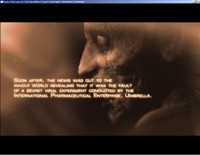
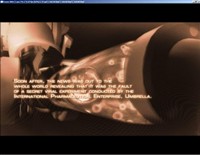
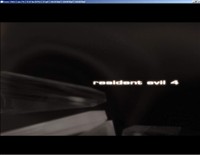
[center]screen.width-500)this.style.width=screen.width-500;" border=0> 选择New game后等待一段loading……终于看到了片头动画
恐怖的僵尸到处都是充满了血腥的片头动画>_<
[/center]
回复 赞 踩

使用道具 举报

 楼主| 发表于 2006-1-31 14:01:43 | 显示全部楼层
[center][center]screen.width-500)this.style.width=screen.width-500;" border=1> screen.width-500)this.style.width=screen.width-500;" border=1>[/center]
[/center]
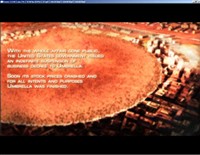
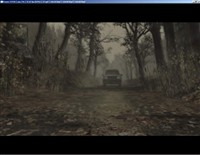
[center]screen.width-500)this.style.width=screen.width-500;" border=0> 恐怖的核爆炸,整个城市被瞬间毁灭   screen.width-500)this.style.width=screen.width-500;" border=0> 片头动画完毕
[/center]
[center][center]screen.width-500)this.style.width=screen.width-500;" border=1> screen.width-500)this.style.width=screen.width-500;" border=1>[/center]
[/center]
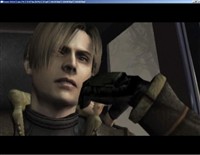
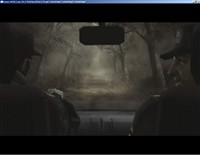
[center]screen.width-500)this.style.width=screen.width-500;" border=0> 游戏男主角-Leon      screen.width-500)this.style.width=screen.width-500;" border=0> Leon坐在车中
[/center]
[center][center]screen.width-500)this.style.width=screen.width-500;" border=1> screen.width-500)this.style.width=screen.width-500;" border=1>[/center]
[/center]
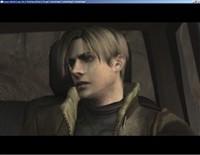
[center]screen.width-500)this.style.width=screen.width-500;" border=0> CG画面非常完美,而且精致,完全没有贴图错误
[/center]
回复 赞 踩

使用道具 举报

 楼主| 发表于 2006-1-31 14:02:05 | 显示全部楼层
PS:在PS2中的全部过场都是CG动画,相比GC版的即时验算缩水了不少-_-!!

  整个动画的运行帧速都是可以令人接受的!但是还会感觉到明显的跳帧感,毕竟是模拟器,要求还是不要太高。

[center][center]screen.width-500)this.style.width=screen.width-500;" border=1>[/center]
[/center]
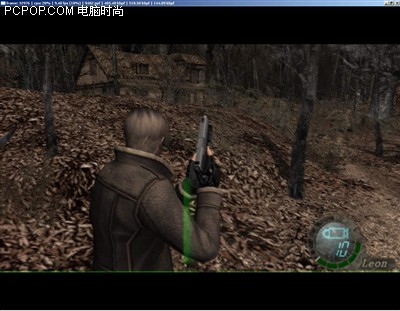
[center]screen.width-500)this.style.width=screen.width-500;" border=0> 真实游戏画面出现了,瞬间让我们失望到极点
仅有可怜的9fps而且实际运行速度来看绝对不到9fps
[/center]
[center][center]screen.width-500)this.style.width=screen.width-500;" border=1>[/center]
[/center]
[center]screen.width-500)this.style.width=screen.width-500;" border=0> 又是一段过场CG,帧速提升明显!
[/center]
回复 赞 踩

使用道具 举报

 楼主| 发表于 2006-1-31 14:02:23 | 显示全部楼层
[center][center]screen.width-500)this.style.width=screen.width-500;" border=1>[/center]
[/center]
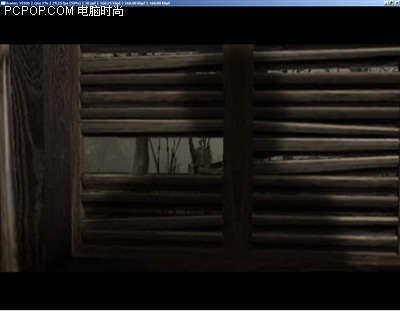
[center]screen.width-500)this.style.width=screen.width-500;" border=0> Leon小心的走进了小屋
[/center]
[center][center]screen.width-500)this.style.width=screen.width-500;" border=1>[/center]
[/center]
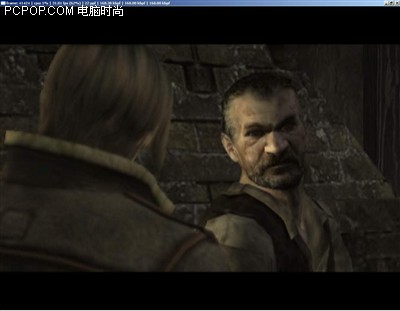
[center]screen.width-500)this.style.width=screen.width-500;" border=0> 和屋里的老头对话,看起来这个老头没有善意!
[/center]
回复 赞 踩

使用道具 举报

 楼主| 发表于 2006-1-31 14:02:51 | 显示全部楼层
[center][center]screen.width-500)this.style.width=screen.width-500;" border=1>[/center]
[/center]
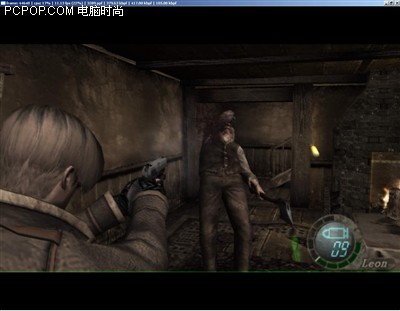
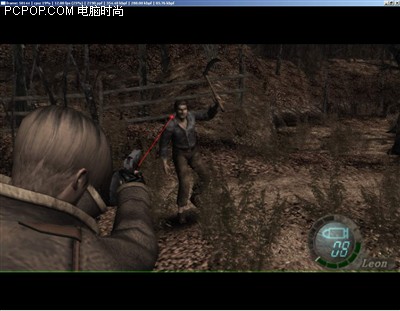
[center]screen.width-500)this.style.width=screen.width-500;" border=0> 果不其然,老头竟然拿斧子砍偶!
被偶一枪暴头^_^
[/center]
[center][center]screen.width-500)this.style.width=screen.width-500;" border=1>[/center]
[/center]
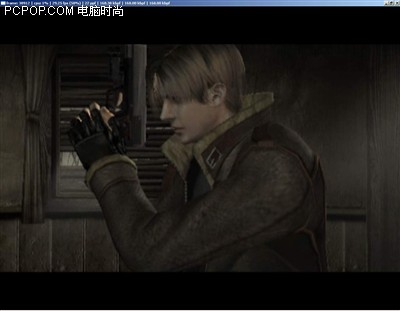
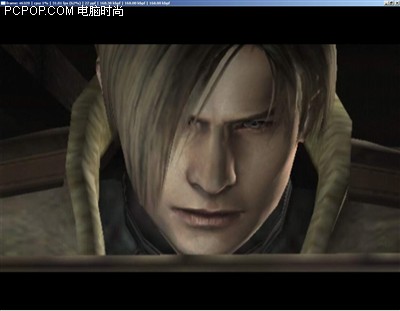
[center]screen.width-500)this.style.width=screen.width-500;" border=0> Leon的特写,画面非常精致!
[/center]
回复 赞 踩

使用道具 举报

 楼主| 发表于 2006-1-31 14:03:18 | 显示全部楼层
[center][center]screen.width-500)this.style.width=screen.width-500;" border=1>[/center]
[/center]
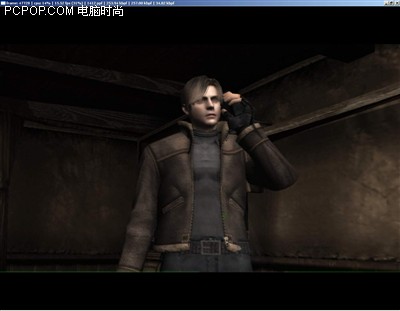
[center]screen.width-500)this.style.width=screen.width-500;" border=0> 退出了CG,在3d中的Leon同CG一样完美!
[/center]
[center][center]screen.width-500)this.style.width=screen.width-500;" border=1>[/center]
[/center]
[center]screen.width-500)this.style.width=screen.width-500;" border=0> 从小屋出来后发现到处是凶残的村民
[/center]
  因为游戏帧速过低,基本处于幻灯片状态,所以我们没有继续深入测试,但是从游戏画面来看可以说是相当完美的,至于BUG问题还是相当严重,比如捡起地上的宝物就会导致模拟器崩溃,打开地图后在切换回游戏画面同样会出现模拟器崩溃的问题。

  总体来说,FX55虽然败了,没达到能玩的地步,但是从画质的角度来看,已经接近了完美,看到了生化危机4的模拟,现在真的很想知道其他游戏的运行情况如何,那么生化危机4的测试先暂时告一段落,下面来继续测试其他游戏的兼容性。
回复 赞 踩

使用道具 举报

 楼主| 发表于 2006-1-31 14:04:02 | 显示全部楼层
零红蝶、实况足球7,齐败阵。


  经过了漫长的生化危机4测试,下面要测试的将是又一恐怖大作【零红蝶】,这款游戏的主角是2个可爱MM,也是非常不错的大作,下面我们就来测试一下。

[center]screen.width-500)this.style.width=screen.width-500;" border=1>[/center]
[center]screen.width-500)this.style.width=screen.width-500;" border=0> 顺利进入游戏,看到了TECMO公司的标志
[/center]
[center]screen.width-500)this.style.width=screen.width-500;" border=1>[/center]
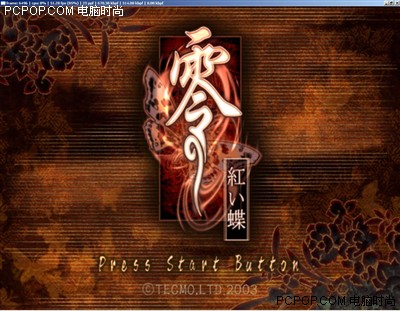
[center]screen.width-500)this.style.width=screen.width-500;" border=0> 零红蝶的选单画面
[/center]
回复 赞 踩

使用道具 举报

 楼主| 发表于 2006-1-31 14:04:31 | 显示全部楼层
[center]screen.width-500)this.style.width=screen.width-500;" border=1>[/center]
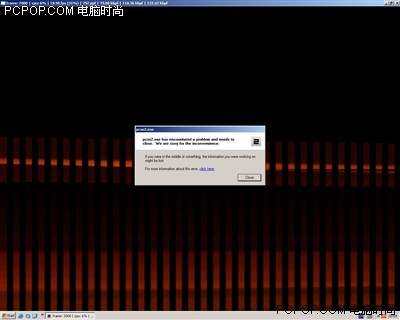
[center]screen.width-500)this.style.width=screen.width-500;" border=0> 遗憾……
[/center]
  非常迅速的得出了零红蝶的测试结果,结局是令人失望的,模拟器崩溃,无法继续进行游戏。

  宣布:零红蝶失败!

  测试继续进行,下面测试的是体育类游戏的王子,实况足球7,虽然我们很少玩这个游戏,但是身边的朋友可有不少都是实况的铁FANS,那么这次测试怎么能少了实况呢,按下模拟器运行按钮,等待读盘。
试

[center]screen.width-500)this.style.width=screen.width-500;" border=1>[/center]
[center]screen.width-500)this.style.width=screen.width-500;" border=0> 很快进入了游戏,并且看到了KONAMI的经典LOGO
[/center]
回复 赞 踩

使用道具 举报

 楼主| 发表于 2006-1-31 14:04:58 | 显示全部楼层
[center]screen.width-500)this.style.width=screen.width-500;" border=1>[/center]
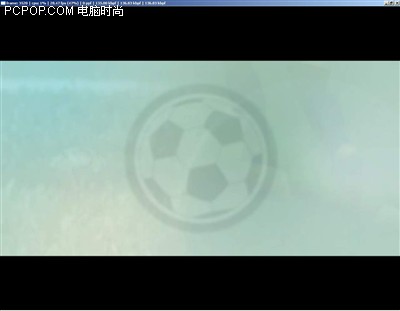
[center]screen.width-500)this.style.width=screen.width-500;" border=0> 顺利进入,片头动画开始,哈哈,继续!
[/center]
[center]screen.width-500)this.style.width=screen.width-500;" border=1>[/center]
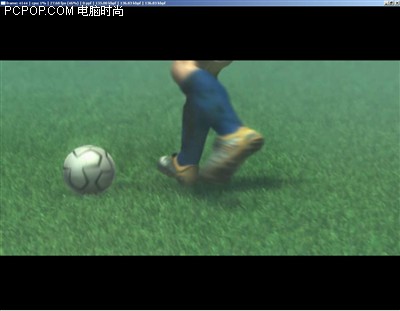
[center]screen.width-500)this.style.width=screen.width-500;" border=0> -_-!!又是遗憾,到了这里,游戏会无限重复
这个画面的动作,无法继续游戏。
[/center]
  看来实况的铁FANS们要失望了,模拟器的兼容问题还比较严重,这么出名的实况竟然还无法被模拟,好在实况基本从7代往后都有PC版本,所以实况被不被模拟都显得不重要了。

  宣布:实况足球7失败!
回复 赞 踩

使用道具 举报

 楼主| 发表于 2006-1-31 14:05:39 | 显示全部楼层
看到已经连续2款游戏失败,我们的激情也慢慢消退了,于是拿出剩下的盘硬着头皮继续测。

  最终的测试结果是,除FFX与FFX-2有严重的贴图错误且帧速极低外,其余的游戏,基本只能读取到选单画面死掉或者就是进入后黑屏,然后模拟器崩溃,从众多游戏的测试中只有生化危机4的兼容性较好,其余基本无法进入游戏。

  目前来看,运行效率低并不是PC的配置问题,因为我们测试用的平台已经超出PS2的硬件很多倍了!但是模拟后仍然慢的无法正常游戏,可以看出模拟器目前的状态还不能运行游戏,且兼容性非常差,虽然模拟器的游戏支持列表中提到相当一部分游戏都在模拟器的支持范围之内,但是,实际运行情况并非如此。

  PCSX2的主页中不断更新着最新的模拟消息,近期更是放出了模拟FF12的视频,但是目前在网上可以找到的模拟器仅有作者的内部测试版本,其运行情况读者们应该也都看到了,暂时看来使用模拟器来玩PS2游戏还是不现实的!

  正如上面所说的,想用模拟器玩PS2游戏?暂时不要想了!但是如果您只是想看看模拟画面,还是可以进行尝试的,因为这不需要多么高端的配置,一般来说,有一块DX9的显卡来支持插件,一个主频2G以上的CPU,512M的内存就可以满足模拟器运行的基本需求。
回复 赞 踩

使用道具 举报

 楼主| 发表于 2006-1-31 14:06:25 | 显示全部楼层
模拟器插件设置详解


  按照第二页的内容配置好模拟器插件后,下面我们来看看这些插件该如何设置才能达到最佳的效果,说实话,第一次看到这些插件,我们也有些迷茫,不过经过一番研究后发现,其实并不用做太多的设置,其设置还远不及PS模拟器epsxe复杂呢。

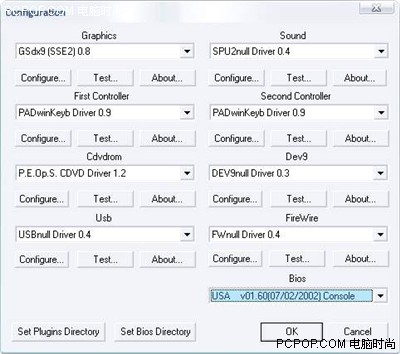
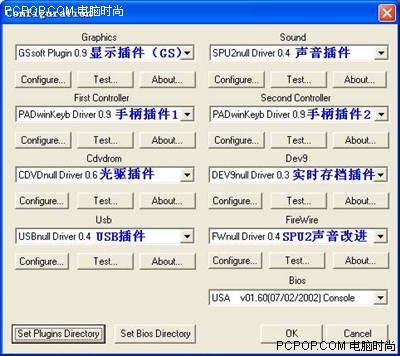
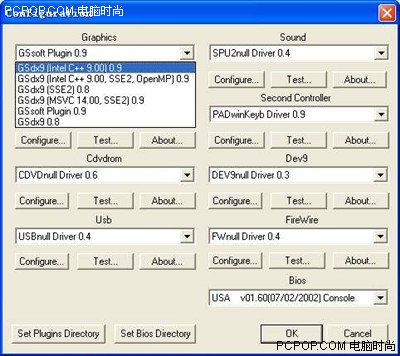
  首先运行模拟器,点击config选择configure后进入插件配置画面。

[center]screen.width-500)this.style.width=screen.width-500;" border=1>[/center]
[center]screen.width-500)this.style.width=screen.width-500;" border=0> 为了方便读者设置模拟器,均使用蓝色字体标出各插件的名称
[/center]
  首先来设置模拟器的核心bios,推荐使用日期最新的USA版本,在模拟当中相比其它的bios会提高几帧的速度。

  Bios选择好后就可以设置模拟器的GS插件了,也就是显示插件,点击后会出现下拉列表,这里的插件可以针对不同配置的电脑来选择,下面小编来逐一介绍。

[center]screen.width-500)this.style.width=screen.width-500;" border=1>[/center]
[center]screen.width-500)this.style.width=screen.width-500;" border=0> 图中的GS插件有6种供选择
[/center]
  随着模拟器的最新进展,已经可以利用插件使显卡参与模拟画面的渲染及部分运算了,这里我们搜集了5个DirectX9的硬件加速插件和1个软件加速的GS插件,使用0.9版本的DX9图形插件需要显卡至少支持到PS1.1,否则将不能启动DX9插件!
回复 赞 踩

使用道具 举报

 楼主| 发表于 2006-1-31 14:06:54 | 显示全部楼层
在没有PS单元支持的情况下可以使用DX9(SSE2)0.8的图形插件,但是使用后会出现渲染错误,导致画面颜色异常,并且速度并不乐观。
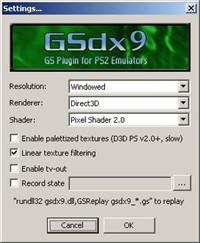
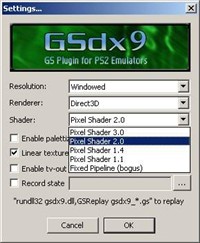
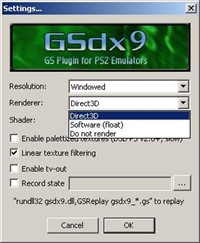
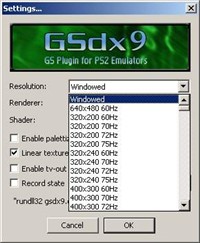
硬件加速的图形插件设置选项都基本相同,这里拿GSdx9(intel++ 9.00)0.9插件为例。点击Configure按钮进入插件设置:

[center]screen.width-500)this.style.width=screen.width-500;" border=1> screen.width-500)this.style.width=screen.width-500;" border=1>[/center]
[center]screen.width-500)this.style.width=screen.width-500;" border=0> 进入插件后的界面     screen.width-500)this.style.width=screen.width-500;" border=0> 选择画面渲染模式
[/center]
[center]screen.width-500)this.style.width=screen.width-500;" border=1> screen.width-500)this.style.width=screen.width-500;" border=1>[/center]
[center]screen.width-500)this.style.width=screen.width-500;" border=0> 选择图形加速方式      screen.width-500)this.style.width=screen.width-500;" border=0> 分辨率选择
[/center]
回复 赞 踩

使用道具 举报

您需要登录后才可以回帖 登录 | 注册

本版积分规则

Archiver|手机版|小黑屋|MGCN谍海游龙

GMT+8, 2026-11-13 22:04 , Processed in 0.045009 second(s), 5 queries , Redis On.

Powered by Discuz! X5.0

© 2001-2026 Discuz! Team.

快速回复 返回顶部 返回列表